

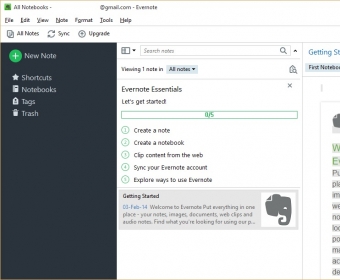
Evernote can increase your productivity as it allows you to manage notes, lists, and events from a single place. The program has an intuitive and easily navigable interface with multiple panels. One of the main advantages of this tool is that it lets you access the data from anywhere. For this purpose, it is required to open an account, which allows you to save notes in the cloud. It is great that Evernote can also run from a portable device. What is more, there are versions for various operating systems.
The main way to save data is by creating notes, which can be further organized in notebooks. These notes can contain formatted text as well hyperlinks, tables, and checkboxes (useful for to-do lists). Likewise, you can attach practically any type of file, including audio, pictures, and video. Luckily, your notes can be shared with other users, which is essential for teamwork. Moreover, you can post them on social networks or send them to a printer.
I especially loved the program’s search capabilities. In this respect, it is good to know that it can search for specific strings not only within the typed text but also handwritten notes and even pictures. Likewise, it can find the desired text within PDF and Word documents.
All in all, Evernote is undoubtedly one of the best productivity tools available. However, it has the disadvantage that you cannot use it without an Internet connection, which makes it useless in offline conditions. In this regard, it would be good if it allowed storing your notes in a local database, just like some email clients do. more






Comments (16)
Reminder messages do not always top.